AI Scheduling for Outlook & Microsoft 365
AI Calendar Buddy reads Outlook, Microsoft 365, and Exchange calendars through Apple's EventKit. No OAuth dance, no admin headaches — and AI that runs on your device.
Compatibility
Outlook.com, Microsoft 365 (work / school), and on-prem Exchange — anything that syncs to Apple Calendar.
OAuth required
No. Microsoft authorization is handled at the OS level by Apple, not by AI Calendar Buddy.
AI Processing
All scheduling runs on-device via Apple Intelligence. Outlook events never reach a third-party AI model.
Data storage
Outlook events read live from EventKit. AI Calendar Buddy's tasks sync via your private iCloud — not Microsoft Graph.
Platforms
iPhone (iOS 26+), iPad (iPadOS 26+), Mac (macOS 26+).
Setup time
Under a minute if Microsoft 365 is already in your Apple Calendar accounts.
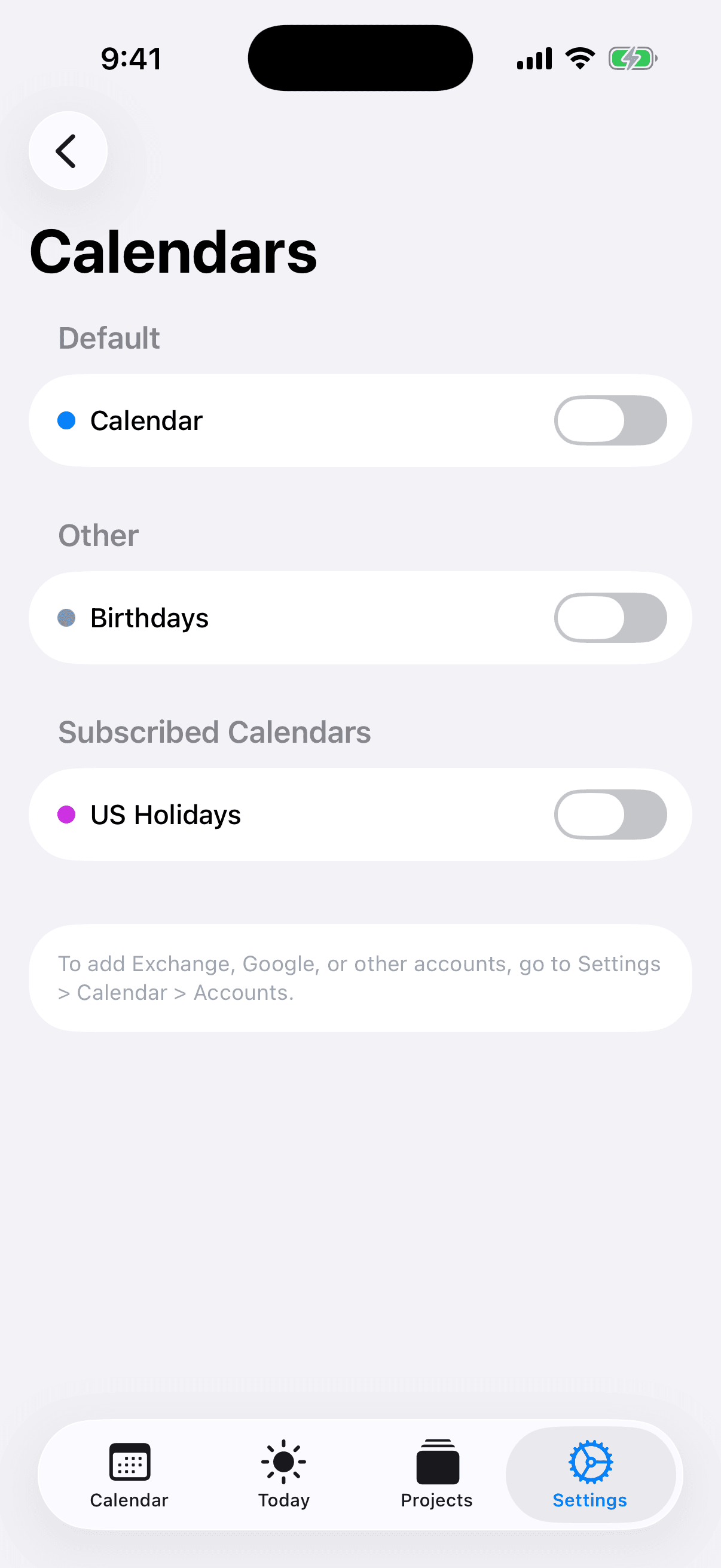
How AI Calendar Buddy reads Outlook
AI Calendar Buddy reads your Microsoft 365 / Outlook calendar through Apple's EventKit framework — the same system API Apple Calendar itself uses. Once Microsoft is added to your iOS/macOS calendar accounts, AI Calendar Buddy sees your Outlook events automatically. This approach is intentionally narrow: AI Calendar Buddy never asks for direct Microsoft Graph access, never stores Microsoft tokens, and never proxies your Outlook data through a CamSoftware server. Microsoft's authorization lives entirely on your device.
- No separate Outlook OAuth inside the app
- No CamSoftware-side Microsoft Graph integration
- Microsoft authorization handled by Apple's system frameworks
- Multiple Microsoft accounts (personal + work) supported automatically
Outlook events stay out of third-party AI clouds
Most AI calendars that support Outlook store a copy of your data in their cloud and route scheduling through third-party AI providers. AI Calendar Buddy reads Outlook events live through EventKit and runs Apple Intelligence on-device — meeting titles, attendees, and patterns never leave your device for AI processing, and never reach a CamSoftware server (we don't operate one).
What the AI does with your Outlook events
Apple Intelligence treats Outlook events as immovable obstacles and places your tasks into the open time around them. Combine Outlook with iCloud and Google calendars in the same view; toggle individual calendars on or off for scheduling decisions.
- Outlook events are treated as immutable — the AI plans around them
- Honors working hours and blocked dates over AI suggestions
- Re-optimizes instantly when meetings move or get added
- Manual drag-and-drop always overrides the AI
Enterprise & Microsoft 365 considerations
If your IT department allows Microsoft 365 calendar sync to iOS and macOS via the standard Exchange ActiveSync or Microsoft account, AI Calendar Buddy works out of the box. There's nothing for IT to allow on the AI Calendar Buddy side — we don't make Microsoft Graph API calls. Some considerations for managed environments:
- MDM profiles that disable iOS/macOS calendar sync at the OS level will also prevent AI Calendar Buddy from seeing those calendars
- Outlook events with restricted classification (e.g., "Confidential") still flow through EventKit and stay on-device for AI scheduling
- Free/busy data on Outlook accounts is honored — the AI won't book over busy time
- Room and resource calendars surfaced through EventKit work like any other calendar
Setup
If Microsoft 365 is already added to your Apple Calendar, you're done after granting calendar permission. If not, add it through your device's Settings first.
- iOS / iPadOS: Settings → Calendar → Accounts → Add Account → Microsoft Exchange or Outlook.com
- macOS: System Settings → Internet Accounts → Microsoft Exchange
- Launch AI Calendar Buddy and grant calendar permission when prompted
- Your Outlook calendars appear immediately — no extra OAuth in the app
FAQ
Common questions
Does AI Calendar Buddy work with Outlook?+
Yes. AI Calendar Buddy reads Outlook, Microsoft 365, and Exchange calendars through Apple's EventKit framework. There's no separate OAuth inside the app — Microsoft authorization is handled by iOS / macOS at the system level.
Does it work with Microsoft 365 work / school accounts?+
Yes, as long as your IT department allows Microsoft 365 calendar sync to iOS / macOS. If your MDM profile or admin policy blocks calendar sync at the OS level, AI Calendar Buddy can't see those calendars (and neither can Apple Calendar).
Are my Outlook events sent to a third-party AI?+
No. AI Calendar Buddy runs all AI on-device through Apple Intelligence. Your Outlook event titles, attendees, and patterns are never sent to OpenAI, Anthropic, or any third-party AI provider, and never to a CamSoftware server.
Will AI Calendar Buddy create events in my Outlook?+
Today, scheduled tasks live in AI Calendar Buddy's own store and surface alongside your Apple Calendar. Direct creation of Outlook events is not currently supported.
Does it support Exchange and on-prem mailboxes?+
Yes, as long as the Exchange account is configured on your device for calendar sync. Anything that appears in Apple Calendar appears in AI Calendar Buddy.
What about shared calendars and room booking?+
Shared Outlook calendars and room/resource calendars surfaced through EventKit work like any other calendar in AI Calendar Buddy. You can toggle individual calendars on or off for scheduling decisions.